
Buy/Sell Tax Support
Buy/Sell Tax Support

Buy/Sell Tax Support
Fee-on-Transfer (FoT) tokens, which impose automatic Transfer Fees or Buy/Sell Taxes, can complicate transactions, leading to inaccurate quotes and failed swaps. This guide explains how 0x v2 addresses these challenges with real-time detection and tax calculation, ensuring accurate quotes and reliable on-chain execution for a smoother user experience.
FoT (Fee-on-Transfer) Tokens are a category of tokens with Custom Properties either:
Tokens with buy/sell tax properties disrupt standard token transfer assumptions, leading to:
When handling buy/sell tax tokens, integrators face two main challenges:
Exact Matching: The sent amount must match the received amount to avoid transaction reverts, but many tools used for detecting buy/sell tax and other custom token properties provide incomplete or outdated data which complicates this process.
User Experience: Users must know if a token has a buy/sell tax upfront. Without reliable detection, integrators may adjust slippage to account for fees, but setting slippage too low risks reverts, while setting it too high exposes users to MEV attacks, undermining trust in your app.
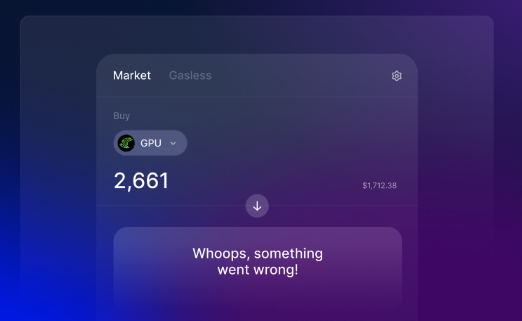
0x v2 API provides a robust solution, available on both Swap API and Gasless API:
Automatic Detection & Optimized Routing: 0x detects buy/sell tax tokens and optimizes trade routes, minimizing errors and transaction reverts. The API automatically includes the token’s buy/sell tax in its response.
Real-Time Tax Calculation: 0x simulates each token transfer to provide precise, real-time tax information, ensuring accurate quotes and enhancing the user experience. The API returns valid quotes and calldata for tokens with buy/sell taxes in both /price and /quote endpoints.
User-Friendly Responses: The API returns tax values in a format that’s easy to display to your end users, making it simple to communicate costs transparently.
⚡️ Explore the Swap API v2 demo code repo to see how to display the buy/sell tax for a selected token.
⚡️ See how Matcha displays buy/sell tax in their UI.
To build trust with users, it’s crucial to display buy/sell tax information transparently in the UI. Here’s how to effectively integrate the buy/sell tax information provided by the 0x API into your application:
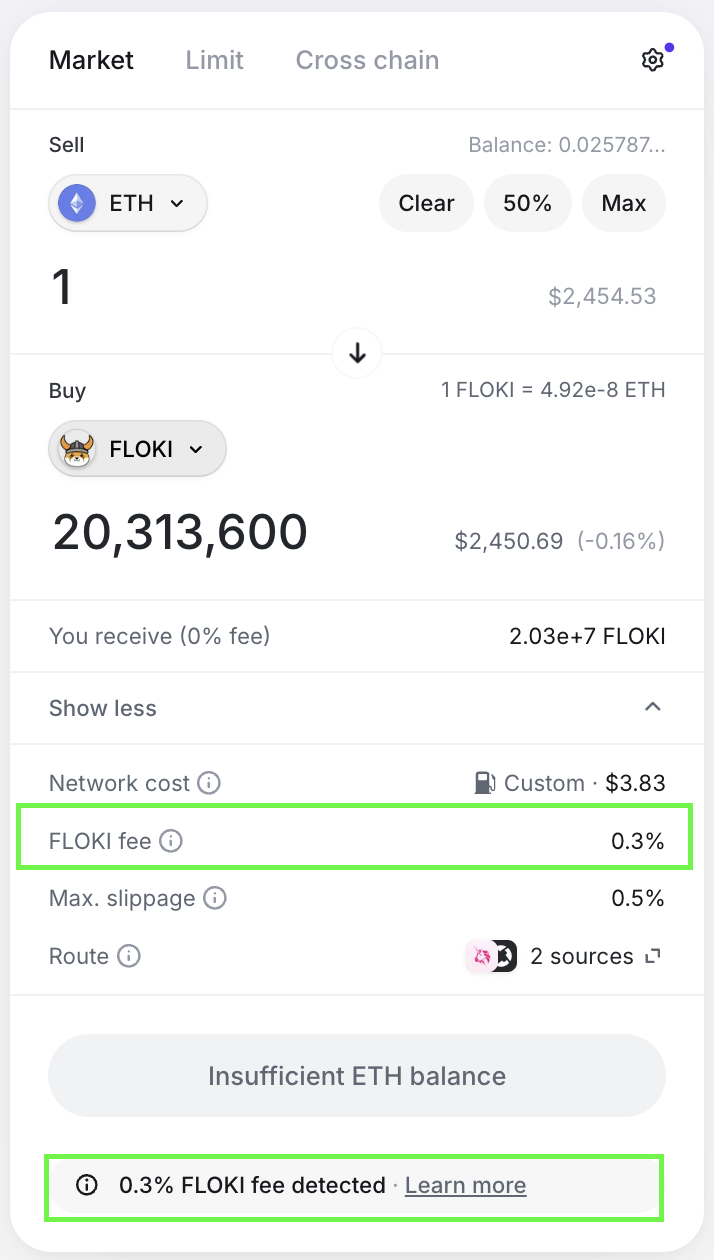
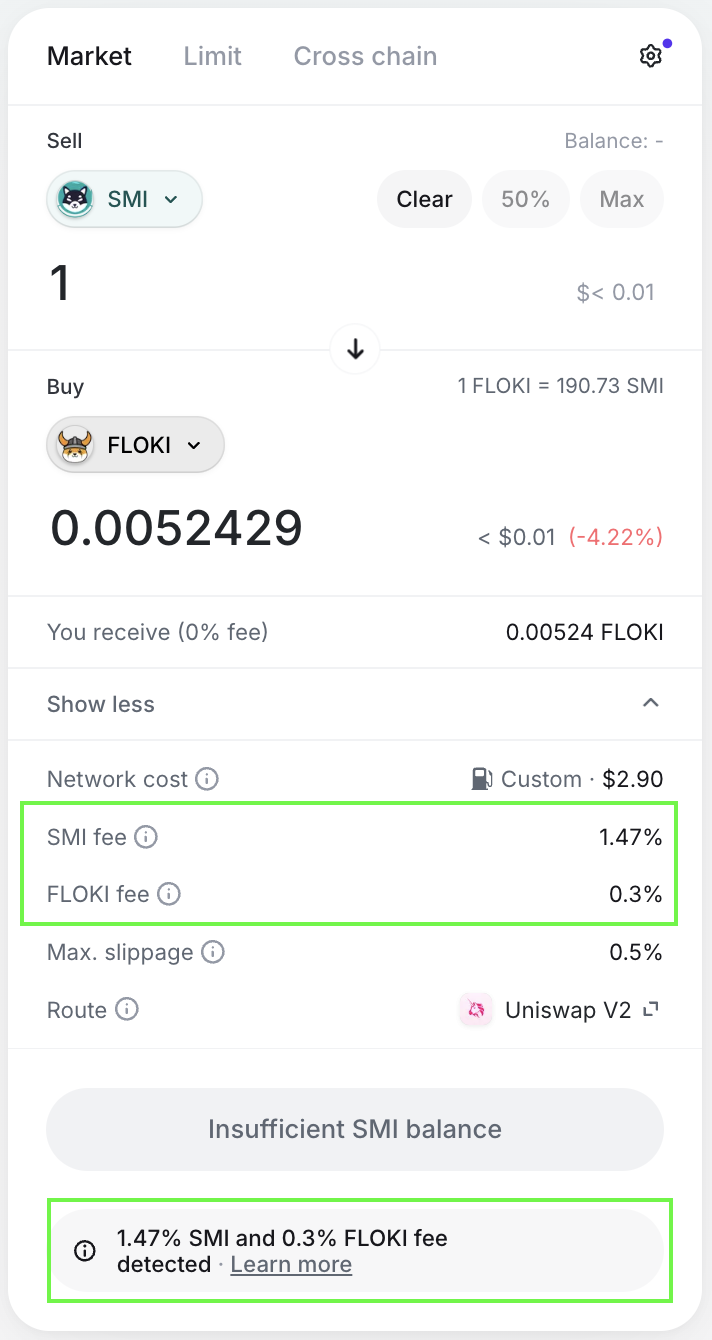
Decide how to best display the buy/sell taxes for tokens directly in the UI to improve transparency and user trust. If both the buy and sell tokens have taxes, be sure to indicate this. Below are some UI examples from the Matcha app:
Example 1: Sell token (FLOKI) has a sell tax. See live trade here
Example 2: Both buy (SMI) and sell tokens (FLOKI) have buy and sell taxes, respectively. See live trade here
Use the tokenMetadata object returned in the /price and /quote endpoints for both Swap and Gasless API calls. This object contains the buy/sell tax information for the tokens involved in the swap.
Example response:
Key Fields:
buyTaxBps and sellTaxBps, representing the buy/sell tax in basis points for buying or selling the token.Convert the buy/sell tax basis points to a percentage and display them in the UI.
Example code to format and display tax information:
Many of our meta-aggregator integrators automatically route all tokens with buy/sell taxes through 0x by default. The 0x APIs are specifically designed to handle the complexities of tokens with buy/sell taxes by leveraging real-time tax detection and trade route optimization. This ensures accurate fee calculations for each transaction and keeps your application up-to-date with any changes to token tax structures, eliminating the need for manual updates or custom implementations.
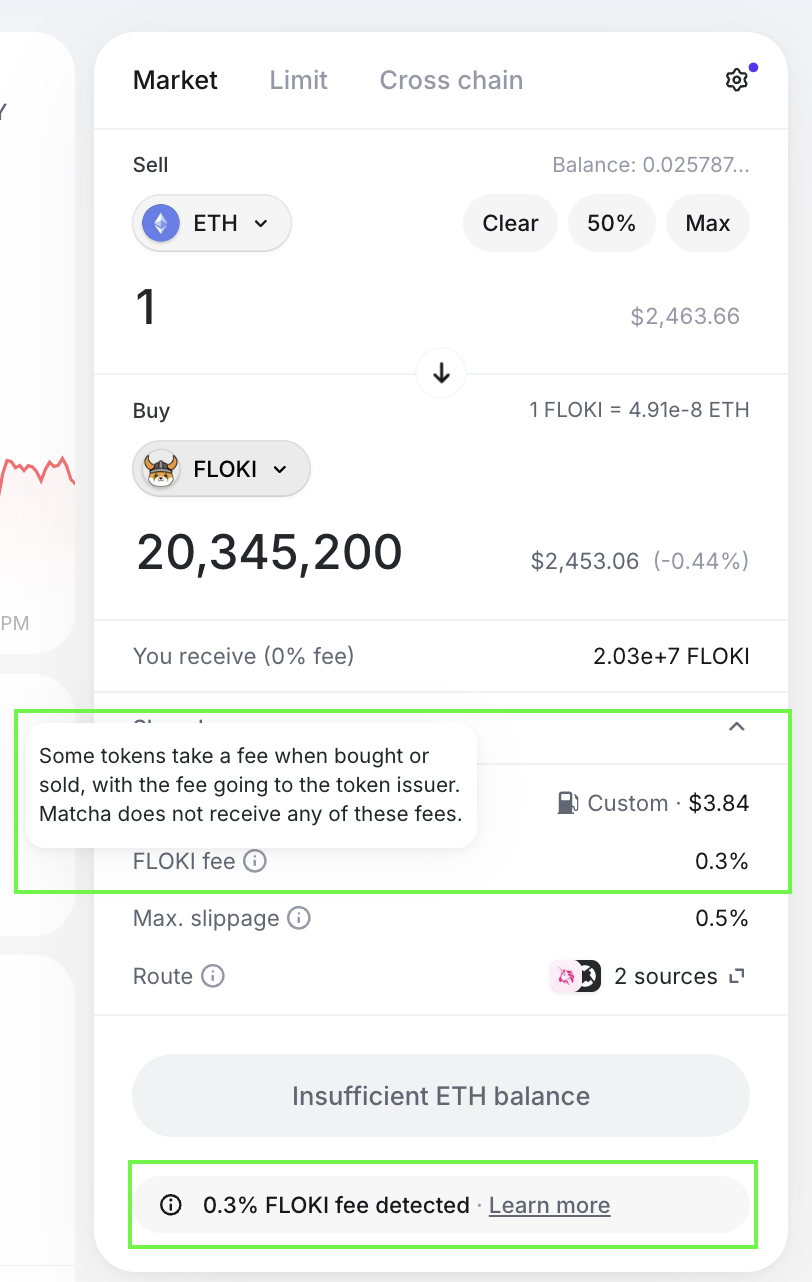
Consider including either links or pop-up modals next to buy/sell tax information to direct users to resources explaining these fees. For example, Matcha uses such links to guide users to blog posts or documentation, enhancing transparency and understanding.
This approach helps users grasp the implications of taxes, reduces confusion, and builds trust in your platform.
👉 Try it on Matcha out here
There’s no standard for how to label buy/sell token taxes. You may see it referred to as - “fee”, “buy/sell tax”, “transfer fee” on different platforms. Your choice should fit your project and user base.